Driven hunt – on the hunt day
My stand and participation
If you are assigned to a driven hunt, the plan shows My stand at the top: stand number, shooting sector, stand group with guide and the coordinates.
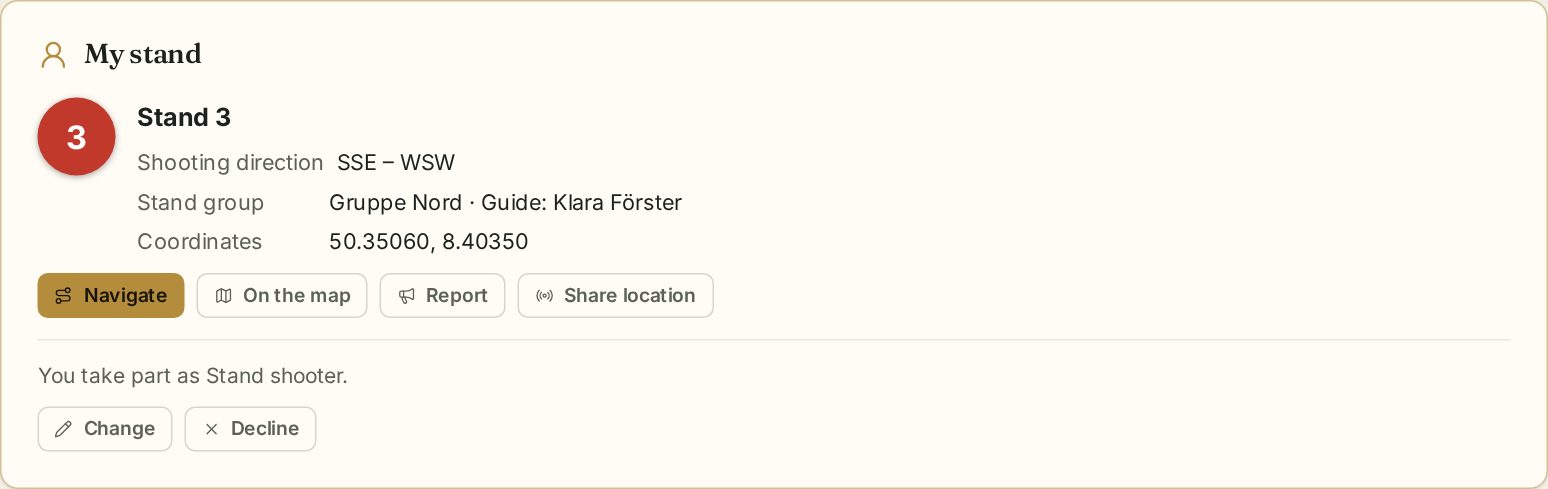
- Navigate opens the route to the stand in your map app.
- On the map shows the stand on the stand map.
- Share location takes you to the ground map so the hunt leader and guides can see where you are.
- Report – on the hunt day, see below.
If you are not assigned yet you can attend: choose your role (stand shooter, walking shooter, beater, dog handler) and add special requests. Cancel, Attend after all and Change adjust your participation.
Reports
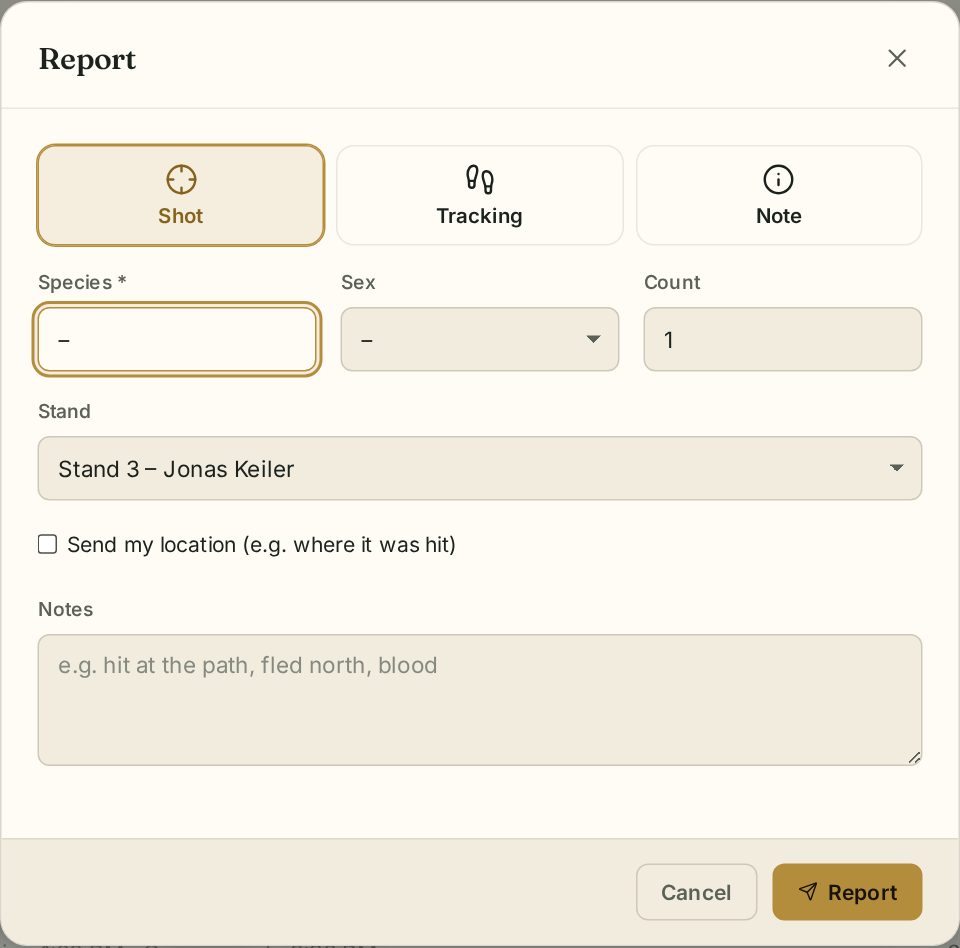
On the hunt day shooters report from their stand. Tap Report:
- Shot – species, sex and number.
- Tracking – e.g. after a hit; Send my location marks the spot on the map.
- Note – anything else, e.g. “Southern drive starts 15 minutes later”.
Your stand is preselected; add details under Notes.
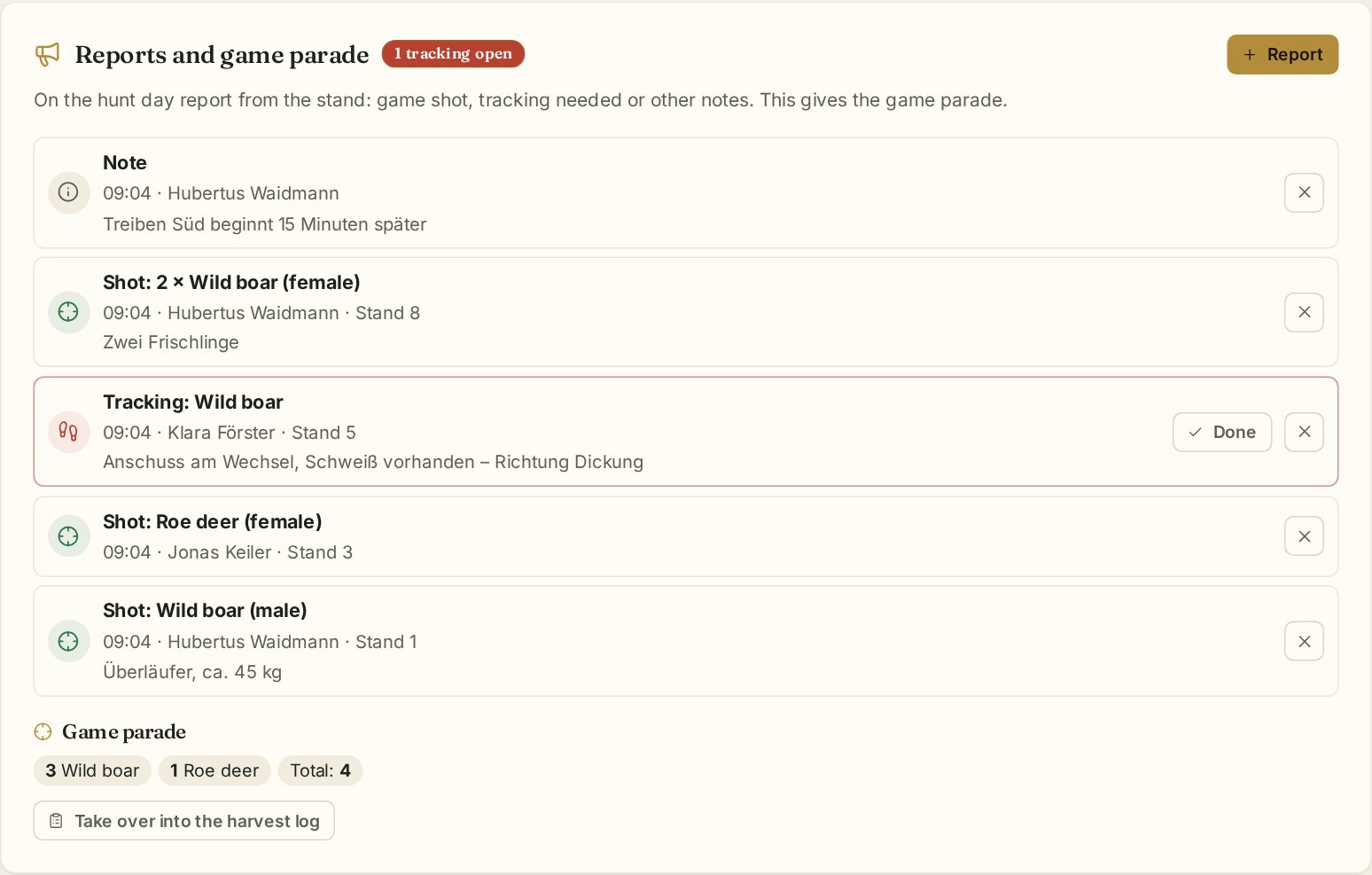
All reports appear immediately for the hunt leader and leaseholders. Open tracking requests are highlighted in red; the hunt leader closes them with Done.
Live situation
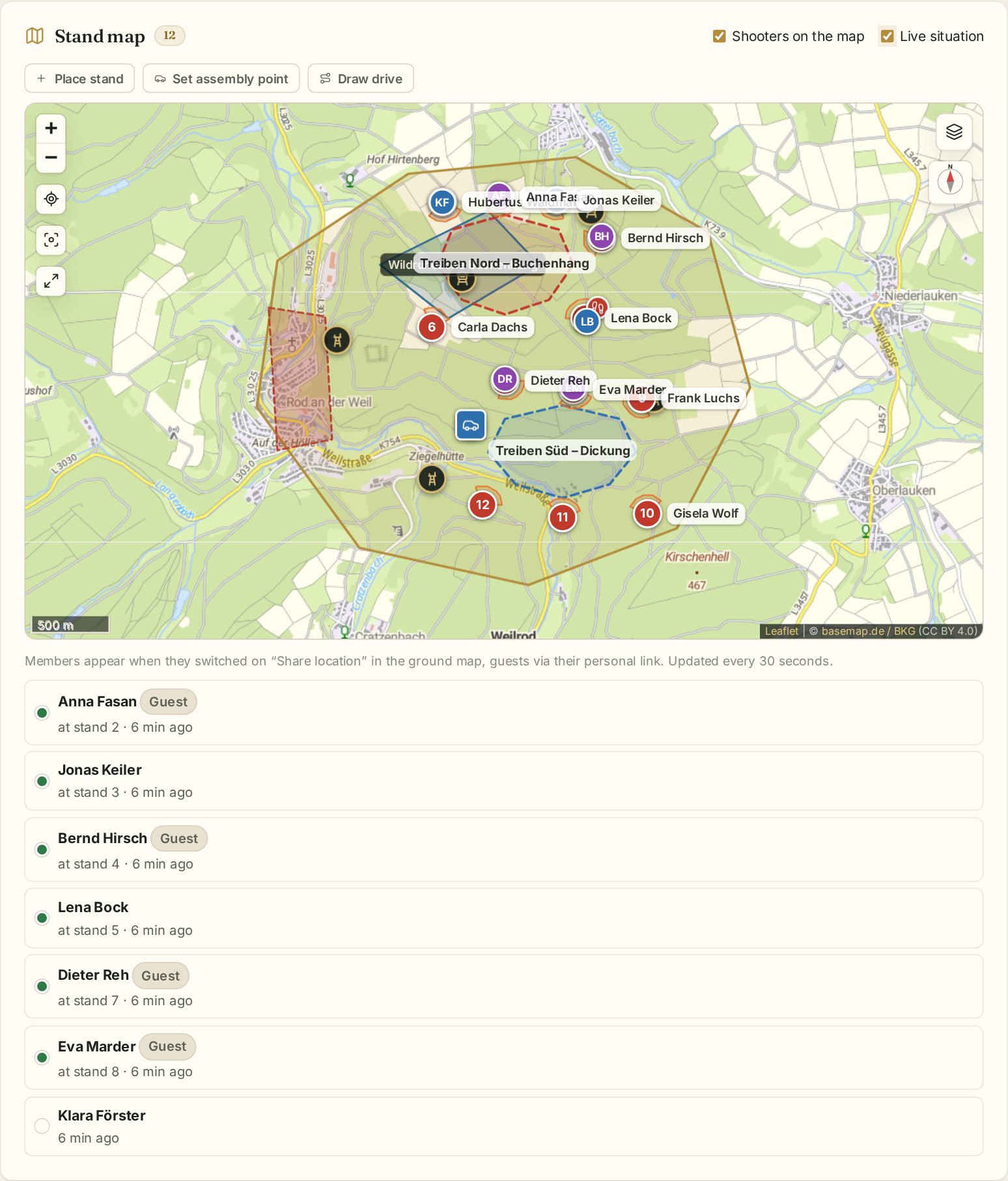
On the stand map the Live situation switch shows where participants are – members who share their location on the ground map, and guests who share on their guest page. The list below shows for everyone whether they are at the stand or how far away they are. It refreshes every 30 seconds.
Taking over the game
Under Reports and game parade Waidblick adds up everything shot. After the parade the hunt leader transfers it with Take over into the harvest log to the harvest log – each animal as a separate entry with hunter and stand. Reports already taken over are not transferred twice.