
Out in the field without a signal
There is often no signal in the ground. Waidblick is prepared for that: you save maps and data on the device beforehand and can still record in the field.
Saving a ground offline
Open Home in the ground and scroll to Use offline:
- Aerial detail level – Normal or High (max zoom). High needs considerably more storage.
- Land parcels – save them as well if you like.
- Waidblick estimates the number of map tiles and the storage needed.
- Save offline – a bar shows the progress; Cancel stops.
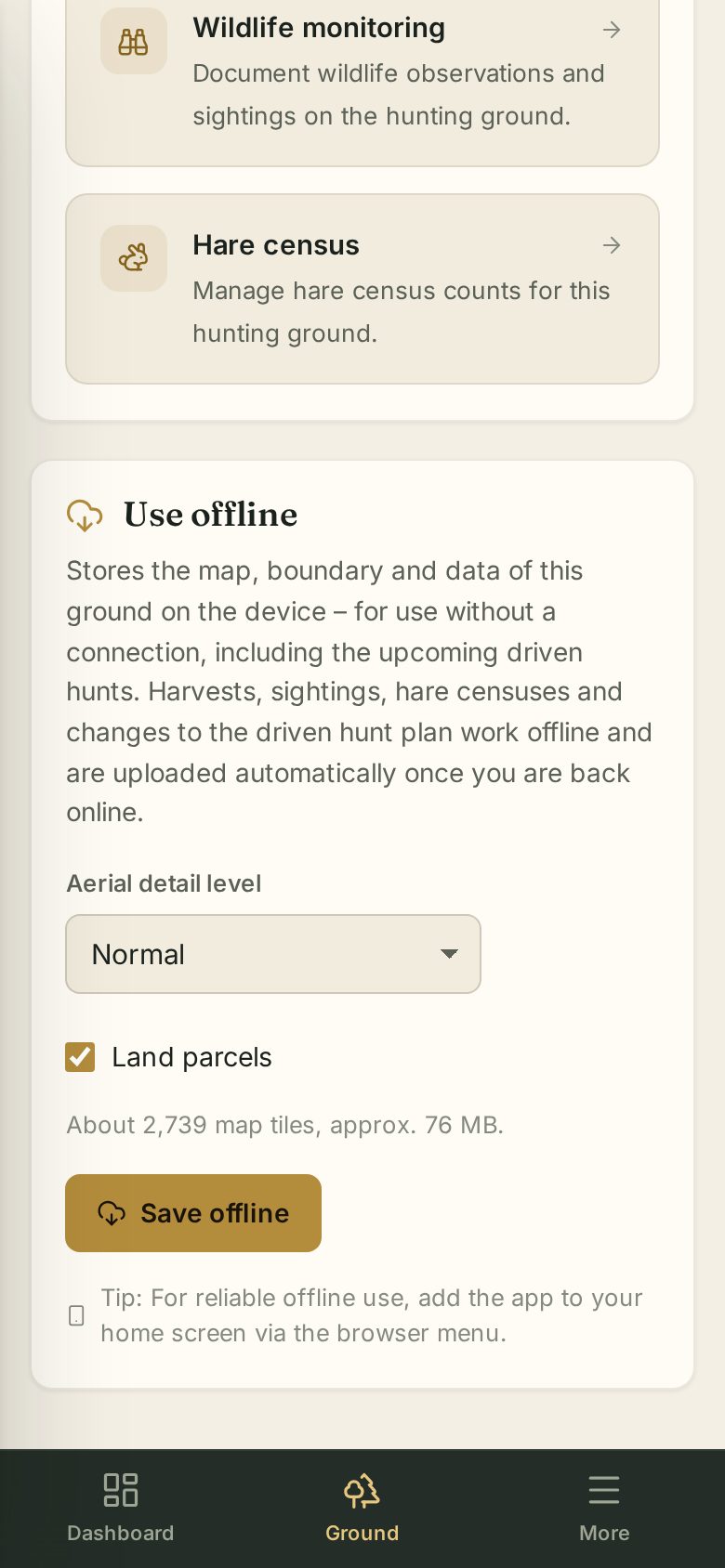
Afterwards Waidblick shows “Offline · date · size”. Update downloads maps and data again, Delete offline data frees the storage. Saved are the map (aerial, map, contour lines and optionally land parcels), boundary, facilities, rescue points and the ground's data including upcoming driven hunts.
For a single driven hunt there is also the Available offline switch right in the driven hunt.
What works without a signal
- View the ground map with the saved tiles, your position, facilities and rescue points.
- Record harvest, sightings (monitoring), hare counts and routes.
- Add and change facilities and edit the driven hunt plan.
Entries not sent yet are marked Pending. As soon as the connection is back, Waidblick sends them automatically. If the server rejects an entry it shows Rejected – Discard removes it. A notice at the bottom tells you that you are offline.
What needs a connection
- Editing or deleting existing entries.
- Imports (Excel, notes).
- Booking high seats.
- Creating new driven hunts.
- Sharing your location (the position is only sent with a connection).